
CRM Enrichment From Sales Calls: The RevOps Data Ops Playbook
Most RevOps teams have tried to solve CRM field coverage with the same set of approaches: better rep training, stricter stage gates, more reminders, call recording for accountability. Coverage numbers improve briefly, then drift back to where they were. The fields stay incomplete.
The reason those approaches don't hold is structural. Rep updates are unstructured, produced from memory, and filed inconsistently - the process asks humans to do something a structured data pipeline should do. Better training and tighter gates don't change that. What changes it is moving the enrichment step out of rep heads and into an extraction layer: one that runs against every call, returns consistent fields, and routes them into CRM properties automatically.
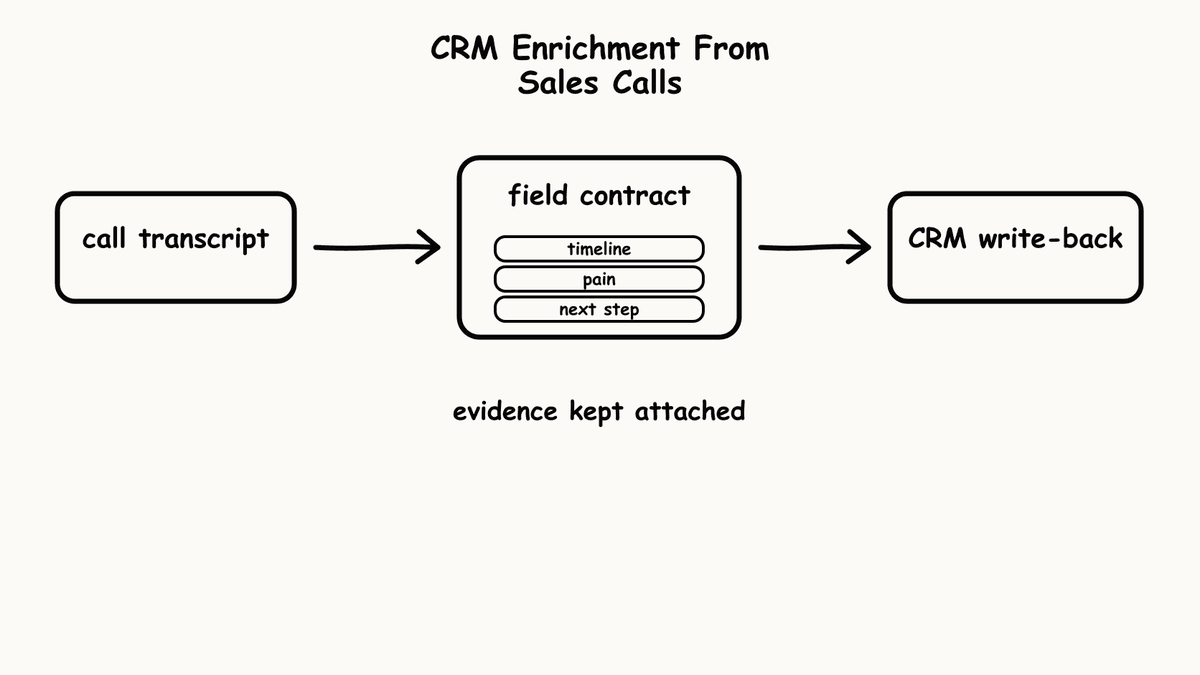
What CRM enrichment from calls actually means
CRM enrichment from sales calls means extracting specific deal evidence from every conversation and routing it into the right fields automatically - without a human summarising from memory after the fact.
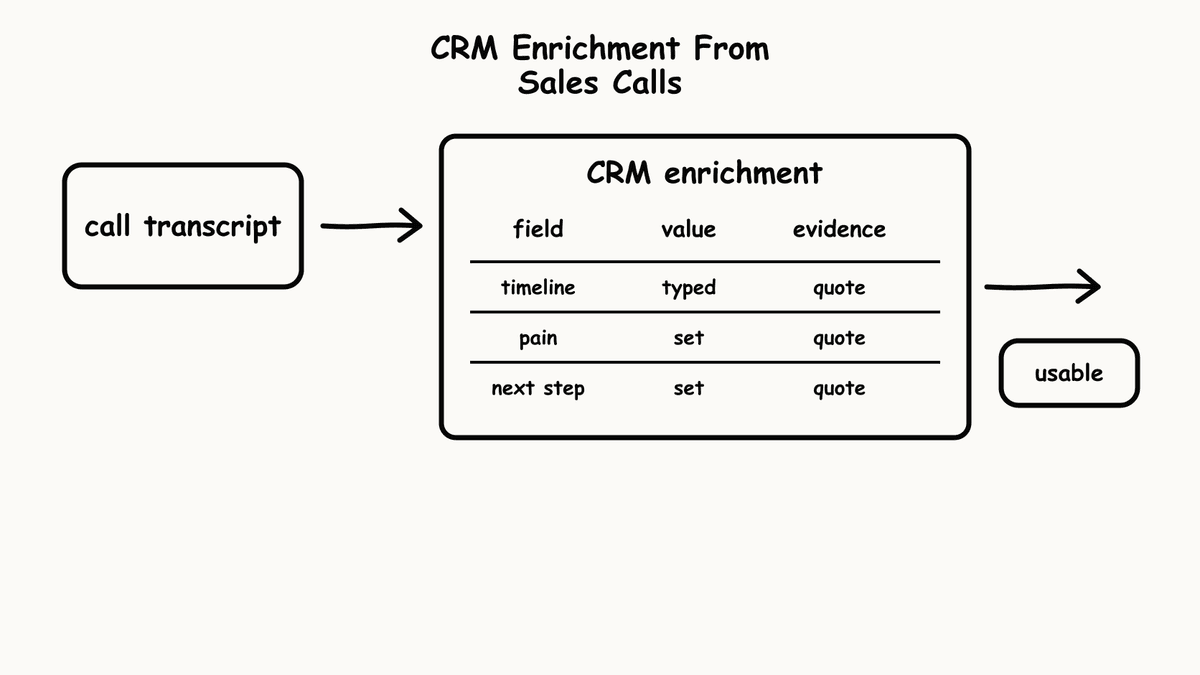
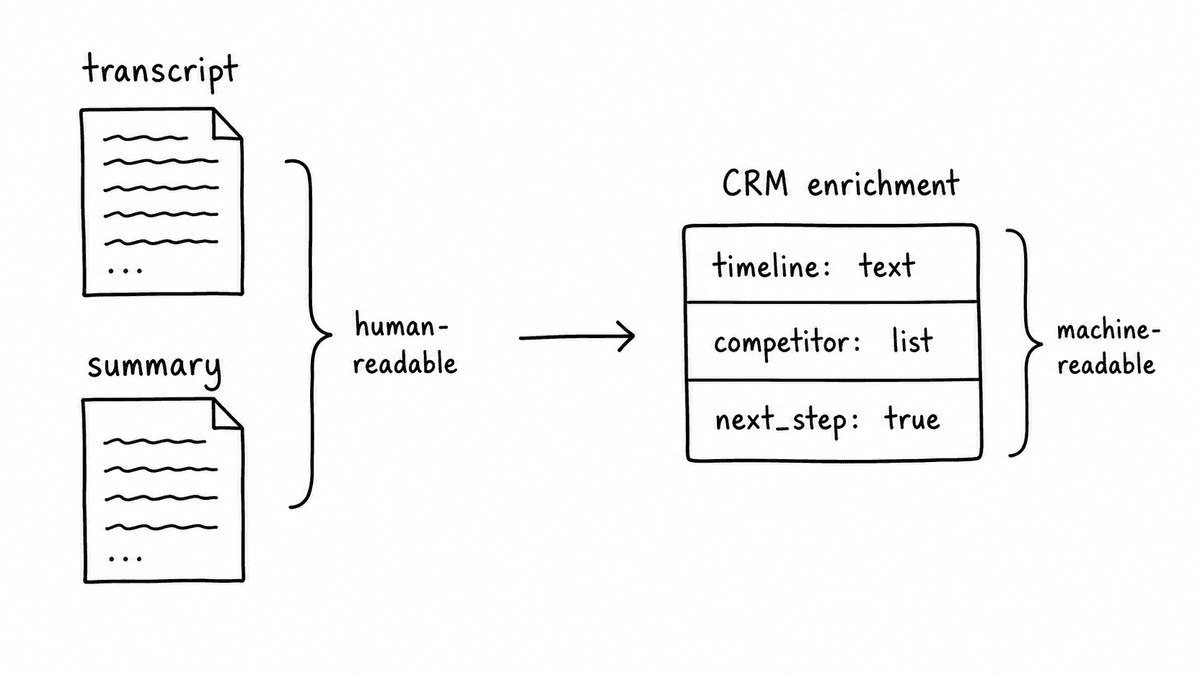
The distinction matters because “enrichment” gets applied to a lot of things that aren't this. A transcript stored as a note is not enrichment. A summary paragraph attached to an opportunity is not enrichment. Enrichment means specific fields with consistent values: a yes/no field for whether a timeline was confirmed, a text field containing the competitor mentioned, a yes/no field for whether a next step was committed with a specific owner and date - values your CRM workflows and reporting can act on directly.
Until the output is structured, the coverage problem doesn't get solved. It gets documented more legibly, but the gap doesn't change.
Why the default approach keeps failing
The failure mode is consistent: reps update a minority of CRM fields after each call, based on their recollection, at some point before the next review. Coverage plateaus around 30% - not because reps are negligent, but because the process asks too much. Rep memory is unreliable, time between call and update creates drift, and there's no incentive to complete fields that don't affect their day-to-day.
Better enablement helps at the margins. More reminders, mandatory field requirements, tighter stage gates - these move the needle slightly, then drift back. The underlying structure doesn't change: you're still asking a human to translate an unstructured conversation into structured CRM data, after the fact, from memory. Teams that buy conversation intelligence to improve coaching often run into the same issue from a different angle - they get signal back, but it measures rep behaviour rather than what the buyer actually said; the CRM stays incomplete because the outputs were never structured for field-level routing.
Raw transcripts don't fix it either. A transcript gives you the words; it doesn't give you the fields. A SalesforceOpportunity property for “timeline mentioned” can't be populated by a paragraph of text - it needs a specific value your automation can read. Storing transcripts improves visibility for humans, but it doesn't produce the machine-readable fields your workflows depend on.
Defining the extraction schema
The first decision is what to extract. A useful starting schema for most SaaS sales motions covers: stage evidence (what the buyer said that justifies the current deal stage), stakeholders mentioned by name and role, competitors named, timeline signals (specific dates or urgency framing), pricing discussed and buyer response, decision criteria stated, and next steps committed with a specific owner and date.
Each field needs a consistent output type that maps directly to a CRM property or workflow condition - yes/no for whether a next step was committed, a text field for the competitor named, a text field extracting the buyer's stated timeline, yes/no for whether the economic buyer was identified. If a field in your schema has no clear home in Salesforce or HubSpot, the schema isn't operational yet. Define where every field lands before you build the pipeline.
The schema is your extraction contract: the same questions, evaluated the same way, from every call. That consistency is what makes the downstream automation reliable - and what makes field coverage a number you can actually measure.
The pipeline: transcript to CRM field
Once the schema is defined, the pipeline has four steps: call recording to transcript, transcript to structured output via the evaluation API, structured output to CRM field mapping, and field mapping to workflow automation.
The evaluation layer is where most implementations either hold together or fall apart. Freeform prompts produce inconsistent output - the same call evaluated twice can return different results if the phrasing shifts or the model updates. A structured evaluation schema with defined output types - a Brick for each deal evidence question, grouped into a Kitfor each call type - produces the same shape of response every time, regardless of what's in the transcript. That consistency is what makes the automation work reliably at scale.
For routing, most teams use workflow automation to push the structured output into their CRM. Zapier works well for fast setup without engineering involvement; Make handles more complex branching logic; n8n suits teams that prefer self-hosted control. In each case, the automation trigger should be the structured evidence field - not transcript text, not a summary paragraph.
Salesforce and HubSpot implementation details
In Salesforce, map extracted fields to Opportunity and Account properties, with custom fields added for evidence-specific data - competitor name, timeline signal text, stage evidence. Trigger Flows based on field values: a stage change flow that only runs when specific evidence fields are populated, a risk flag that triggers when competitors are mentioned without a response logged.
In HubSpot, map to Deal properties and use Workflow enrollment based on evidence field conditions. The timeline and next step fields are particularly useful for branching: enroll deals in follow-up sequences when a confirmed next step is present with a specific date; hold deals in a review stage when timeline is absent. These workflows only become reliable when the input is a consistent, structured evidence field - not a free-text note a rep filed three days after the call.
The RevOps use case covers the full automation architecture for both platforms, including field naming conventions and the workflow logic that holds up at scale.
Measuring whether it's working
The right metric for CRM enrichment is field coverage per call - not “calls analysed” volume. Track the percentage of opportunities that have each evidence field populated after each call stage. A discovery call should produce stage evidence, pain articulation, and a confirmed next step. If field coverage is low, the issue is the extraction schema or the routing logic - not rep behaviour.
Coverage gaps tend to cluster by field rather than by rep: if “competitor mentioned” is empty across the board, the extraction logic for that field needs work; if “next step committed” is empty for a specific segment, the routing rule for that segment isn't firing. The fix is schema or routing first - process and training second. Rep behaviour is rarely the bottleneck when the pipeline is right.
Common questions
What fields should we extract first if we're starting from zero?
Start with the four fields that affect forecasting directly: next step confirmed (yes/no), timeline mentioned (extracted text), competitors named (list), and stage evidence (extracted text - what the buyer said that justifies the current stage). These give you coverage data that matters in pipeline reviews and can be added to Salesforce or HubSpot without custom object work.
Do we still need reps to update CRM, or can we remove that step?
Structured extraction covers factual evidence fields automatically. Reps should still own contextual updates - deal narrative, relationship notes, strategic flags - that can't be extracted from a transcript. Rep judgment stays in the CRM. What goes away is asking reps to manually copy factual data that a pipeline can extract more accurately and consistently.
How do we handle deals with multiple stakeholders and conflicting timelines?
Extract stakeholders and timeline signals as separate fields, then handle the conflict in your CRM workflow logic rather than in the extraction schema. If three stakeholders give three timelines, the extraction returns all three; your CRM logic determines which to surface in pipeline reviews. Trying to resolve the conflict at extraction time usually produces worse results than resolving it at the field level.
How do we measure whether CRM enrichment is actually working?
Track field coverage per call stage, not call volume processed. A discovery call should produce stage evidence, pain articulation, and a confirmed next step. If those fields are empty after a call is analysed, the problem is in the extraction schema or routing logic. Coverage gaps by field - not by rep - tell you where the pipeline needs to be fixed.
Semarize extracts deal evidence from sales calls and returns it as structured output your CRM and automation tools can use directly. Define your extraction schema, run it against every call, and measure field coverage as a real number.
Continue reading
Read more from Semarize
MEDDICC Scoring From Discovery Calls
Most MEDDICC data is stale before it reaches CRM. Reps update fields from memory after the call, introducing timing gaps and sampling bias that make qualification scores unreliable. Extracting MEDDICC signals directly from transcripts fixes the data freshness problem that better training never will.
Stop Running Win/Loss Surveys. Start Capturing Deal Signals From Calls.
Win/loss surveys have a structural timing problem: they collect buyer memory after the outcome, not the decision inputs during the deal. Competitor mentions, pricing responses, and stakeholder dynamics exist in call recordings as they happen. Extracting them as structured signals makes win/loss real-time - and far more useful for deal coaching and pipeline risk.
Conversation Data Warehouse: Consistent Call Fields for BI
BI teams can't query transcripts. They can't join AI summaries to CRM objects. To make conversation data useful for analytics, it needs to arrive as consistent typed fields - booleans, scores, text fields, lists - with join keys that connect calls to opportunities, accounts, and contacts. This is the pipeline, the schema, and the governance model that makes sales call analytics possible in your warehouse.